Introduction
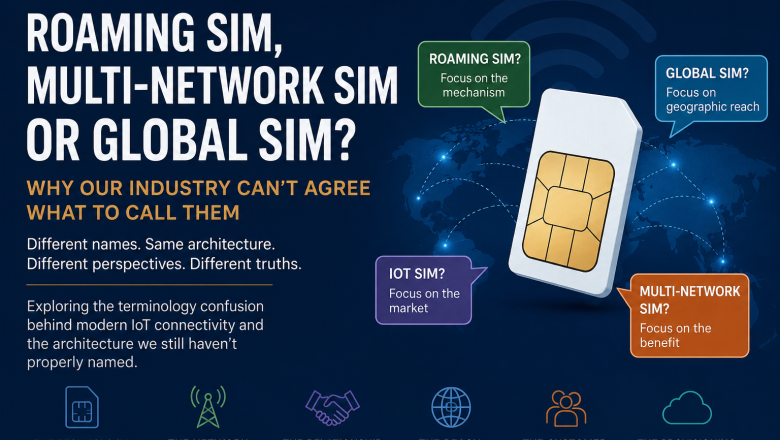
If you manage a fleet of cellular routers, CCTV cameras, or remote sensors, you have likely been sold the “invincible connectivity” dream. The pitch usually goes like this: “Buy our Multi-Network Roaming SIM or Multi-IMSI solution. If one network fails, it automatically swaps to another. You will never go offline.”
It sounds perfect. But if you have been in this industry long enough, you know the uncomfortable truth: You can have the best roaming SIM in the world, and your device can still go dark.
A recent, rather hard-hitting analysis titled The Truth About Cellular IoT Resilience by IoT Index exposes exactly why this happens. The reality is that the SIM card is just one small piece of a much larger puzzle.
At RoamingSim.co.uk, we supply top-tier connectivity, but we also believe in honest engineering. To achieve true “always-on” resilience, you must look beyond the SIM and address the Router, the Antenna, and the Configuration.
The “Magic SIM” Fallacy
Roaming SIMs are brilliant tools. They solve specific problems: carrier outages, coverage blackspots, and commercial steering. However, they operate strictly at the Network Layer.
A roaming SIM cannot fix:
- Hardware Lockups: If your modem freezes, the SIM cannot switch networks because the “engine” is dead.
- RF Physics: If your antenna is inside a metal cabinet, no amount of network switching will find a signal.
- Power Issues: If the voltage drops and the router hangs, the SIM is useless.
To fix these issues, we need to move from a “SIM-centric” view to a “System-centric” view.
The 3 Pillars of True Resilience
If you want to stop 3 AM emergency call-outs, you need to address the physical and logical layers of your deployment.
1. The Router (The Brain)
Your cellular router is a complex computer. It has a CPU, RAM, and a modem. Like any computer, it can encounter software bugs, memory leaks, or firmware “edge cases” that cause it to hang.
The Fix: Don’t buy consumer-grade kit for industrial jobs. Use proven hardware (like Teltonika, Peplink, or Sierra Wireless) that allows for hardware-level watchdogs.
2. The Antenna (The Ears)
The article from IoT Index rightly calls the antenna “the most boring and most important factor.” We frequently see expensive routers connected to cheap “stubby” antennas left inside metal enclosures. This creates a Faraday cage, killing your signal-to-noise ratio (SNR).
The Fix:
- Move antennas outside the enclosure.
- Use high-gain directional antennas for fixed sites.
- Ensure cables are short and high quality (LMR400 or similar) to reduce loss.
3. The Configuration (The Watchdog)
This is the most common failure point. You unbox a router, insert a Roaming SIM, and leave the default settings. But what happens when the connection hangs but the router thinks it’s still online?
The Fix: Ping Reboot.
You must configure a “Ping Reboot” (or Ping Watchdog). This feature forces the router to constantly check its own internet connection by pinging a stable server (like Google’s 8.8.8.8). If the pings fail, the router physically reboots the modem or the entire device.
It is a crude but effective way to clear the “digital cobwebs” that a SIM card switch cannot fix.
- Learn more here: What is Ping Reboot? (Step-by-Step Guide)
The System Approach: 5 Layers of Resilience
Resilience isn’t a single switch; it is a stack. To visualize this, we look to the framework provided by PingReboot.co.uk. They break down connectivity into five distinct layers, where the SIM card is actually only layer #3.
If you skip layers 1 (Power/Environment) and 2 (Hardware/Antenna), the sophisticated technology in layer 3 (The SIM) never gets a chance to work.
- Read the full guide: The Five Layers of IoT Connectivity Resilience
Comparison: Roaming SIM vs. Full System Resilience
Here is how a “SIM-Only” strategy compares to a “Full System” strategy when facing real-world failures.
| Failure Scenario | SIM-Only Strategy | Full System Strategy (Router + Config + SIM) |
| Network Outage (O2 is down) | ✅ Success: SIM switches to Vodafone/Three. | ✅ Success: SIM switches automatically. |
| Modem Freeze (Firmware Bug) | ❌ FAIL: Device goes offline indefinitely. | ✅ Success: Ping Reboot detects downtime and reboots the router. |
| Weak Signal (Bad Antenna) | ❌ FAIL: SIM constantly disconnects/flaps. | ✅ Success: High-gain antenna maintains stable link; SIM provides backup. |
| Data Stall (Connected but no data) | ❌ FAIL: Router thinks it is online; no data flows. | ✅ Success: Ping Reboot notices packet loss and restarts the connection. |
Frequently Asked Questions (FAQ)
Q: Will a Multi-Network SIM fix my bad signal?
A: Not necessarily. If the signal is weak across all networks due to your location (e.g., a basement) or poor antenna placement, a SIM card cannot create a signal that isn’t there. You likely need a better external antenna first.
Q: What is the difference between a Roaming SIM and a Multi-IMSI SIM?
A: A standard Roaming SIM uses one identity to roam on multiple networks. A Multi-IMSI SIM holds multiple identities (profiles) and can swap them to look like a “local” subscriber. Both offer redundancy, but neither can fix a frozen router.
Q: How often should I set my Ping Reboot?
A: A common best practice is to ping a reliable server (like 1.1.1.1 or 8.8.8.8) every 5 minutes. If it fails 3 consecutive times, force a modem restart. This prevents “loops” where the router reboots constantly.
Conclusion
At RoamingSim.co.uk, we are proud of the connectivity we provide. Our unsteered, multi-network SIMs are the best way to ensure you aren’t tied to a single failing mast.
But we want your deployments to succeed. Don’t fall into the trap of thinking the SIM card is a magic wand.
- Check your environment (Antennas & Power).
- Configure your hardware (Ping Reboot & Watchdogs).
- Use a Roaming SIM for network diversity.
By treating your connectivity as a system, rather than just a utility, you move from “hoping it works” to “knowing it works.”